
Museum App — Google UX Certificate: Project 1
This was my first end-to-end UX project, completed as part of Google's UX Design Certificate. The prompt was open-ended: design an app experience. I chose to design a booking and visit-planning app for a fictional art history museum. The goal wasn't a polished final product; it was to practice the full design process from persona development through lo-fi prototyping.
Skills Demonstrated
Persona development · Storyboarding · Paper wireframing · Digital wireframing · Lo-fi prototyping · Figma · User flow mapping
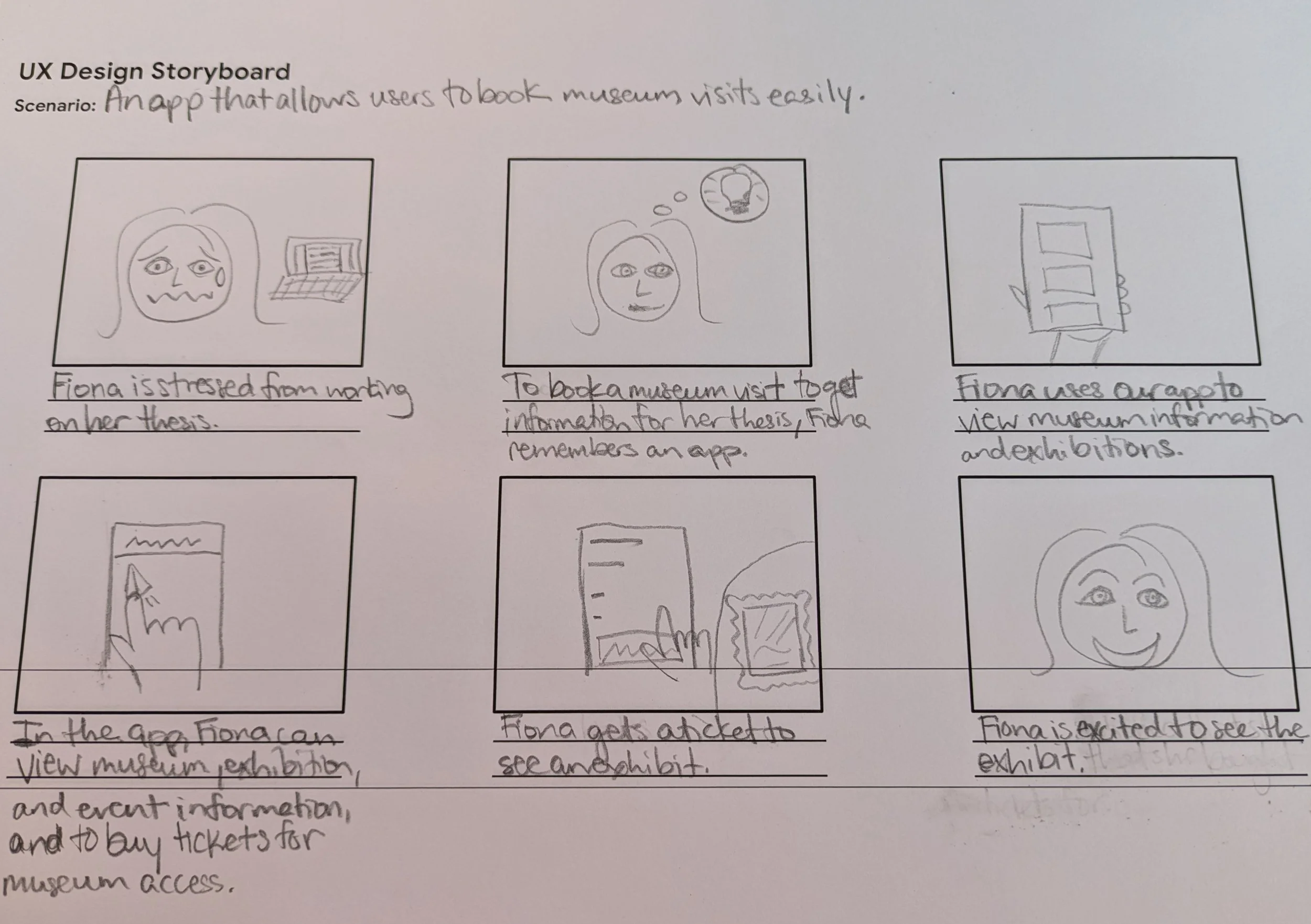
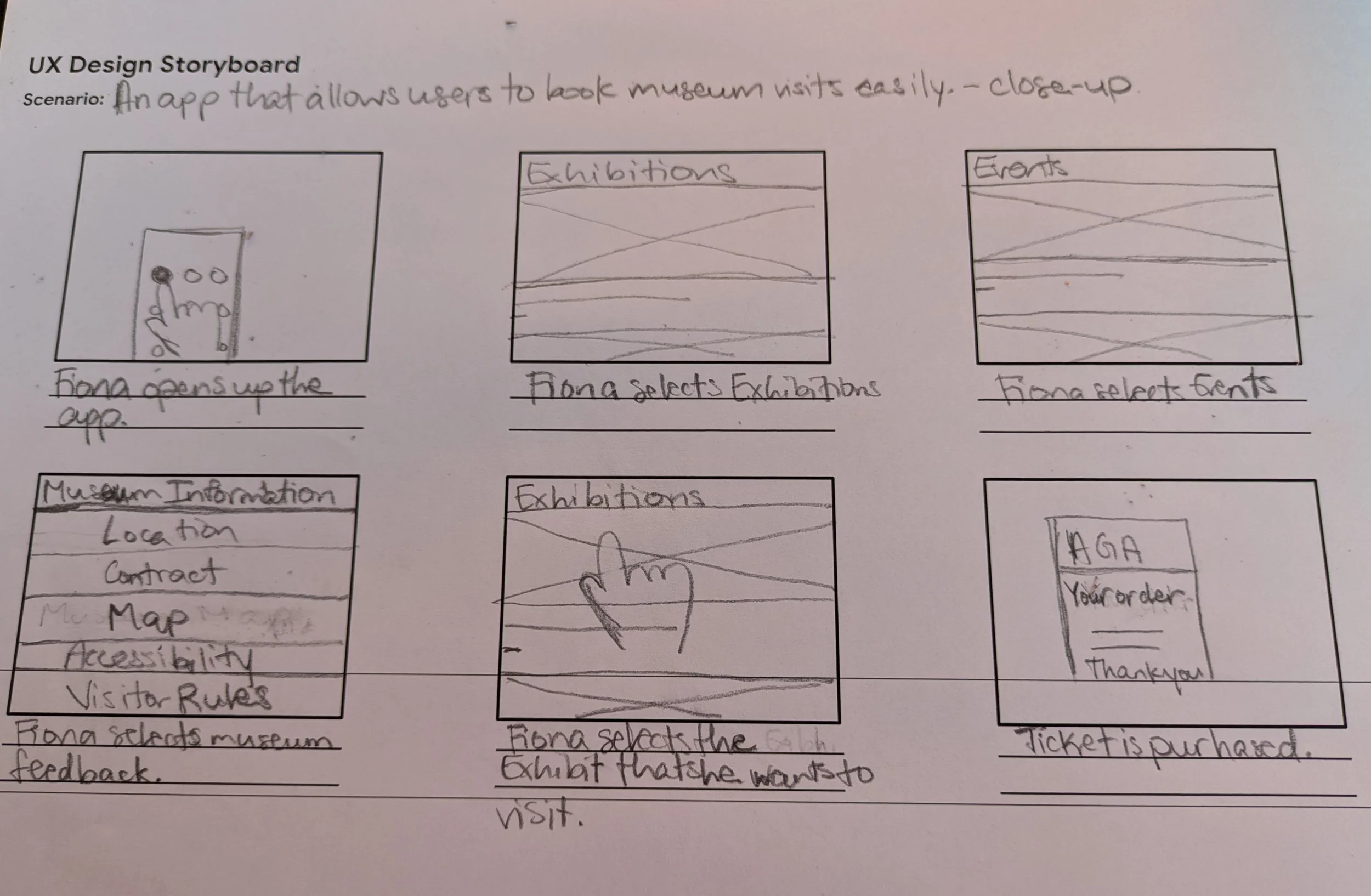
UX Design Storyboard.
When thinking about potential users for the Art History Museum app, I developed a persona around Fiona — a PhD student in Art History who visits museums regularly for her program. Working through Fiona's goals and frustrations helped ground the early design decisions in a real use case rather than abstract features.
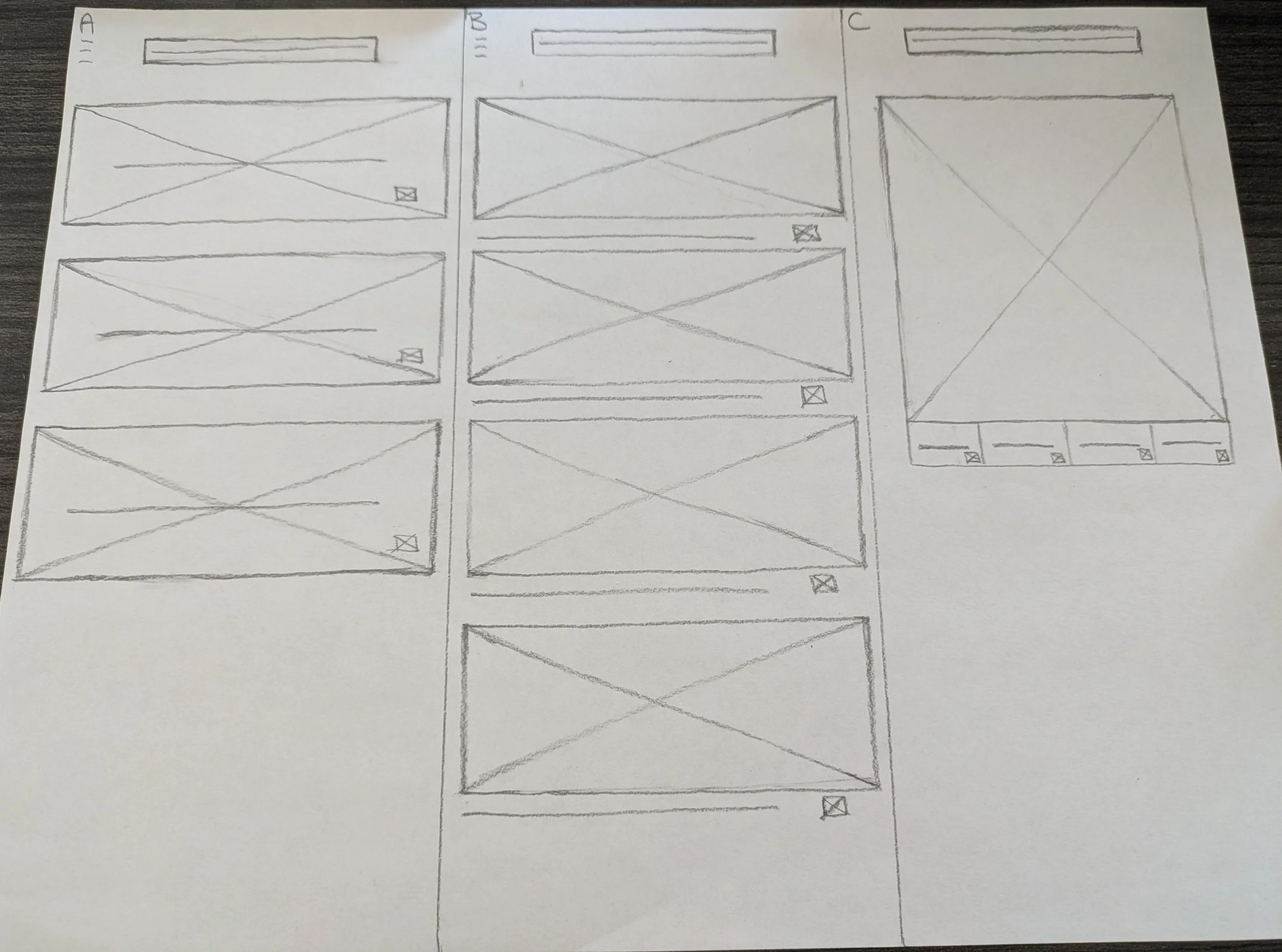
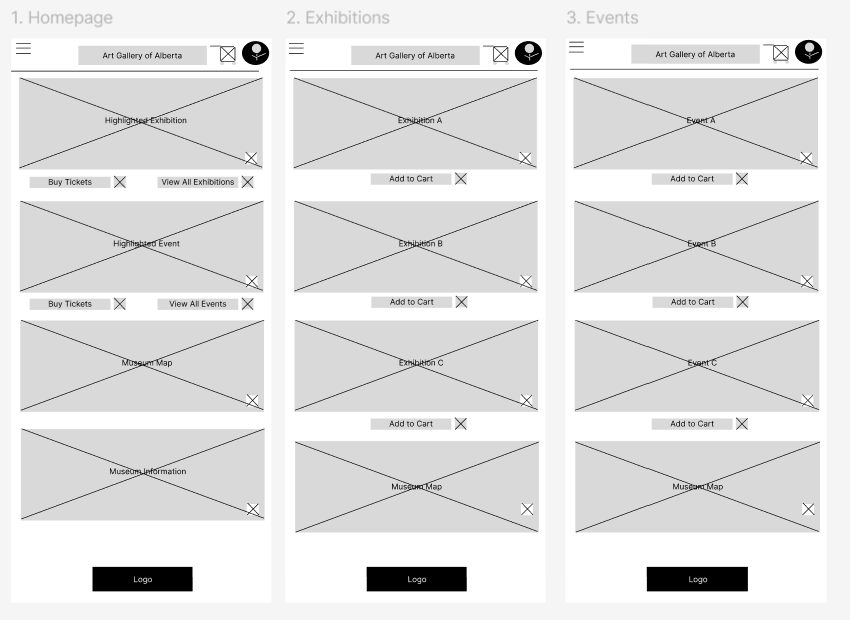
Paper and Digital Wireframes.
I brainstormed several wireframe layouts for the main app screen. Given the museum's art history focus, I designed around visual navigation — image-based buttons rather than text-heavy menus. I then translated the strongest wireframe ideas into a digital format in Figma.
Lo-Fi Prototype and Mock-Up.
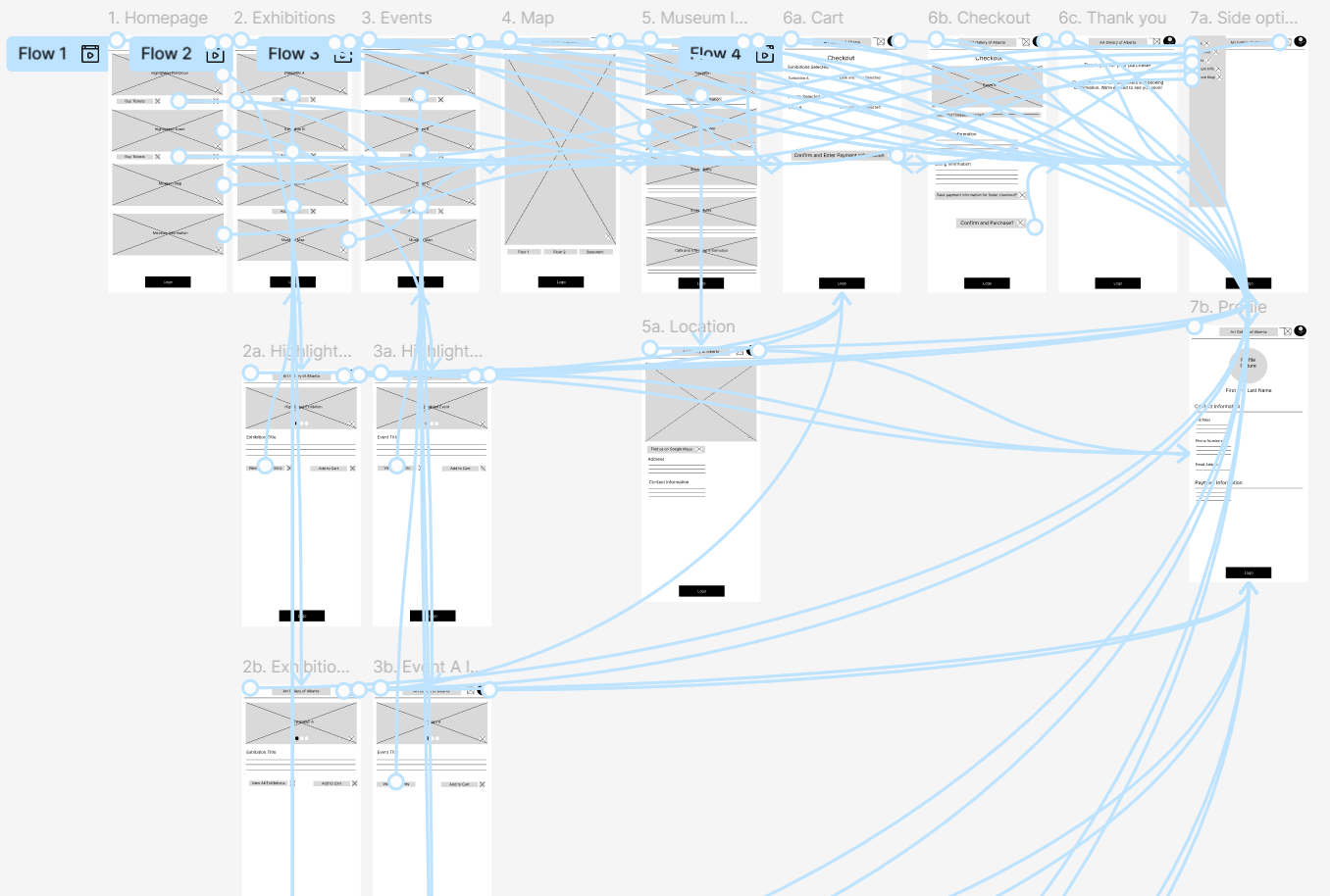
Once the wireframe pages were mapped, I built a lo-fi prototype in Figma connecting the action flows between screens. This stage helped surface navigation gaps before any visual design investment.
Status & What I Learned
This project is intentionally paused at lo-fi — I'm returning to it with fresh eyes before committing to a visual direction. The main thing I took from this project: how much the persona work upstream shapes the design decisions downstream. Fiona's specific context (frequent visits, research-oriented, time-constrained) would produce a very different app than designing for a casual tourist — and keeping that distinction visible throughout the process is what prevents generic design.